Home Assistant runs your smart home on a small computer in your own house instead of in a dozen apps and clouds. It can control Tuya, Zigbee, Philips Hue, IKEA and hundreds of other brands from one screen, and its automations keep working when the internet is down. Getting started is cheaper than most people think: a small computer, a Zigbee USB dongle and a few sensors. This guide explains what to run it on, which parts you need first, what each one costs on AliExpress and the beginner mistakes worth avoiding.
Links on this page are affiliate links: if you buy through them we may earn a small commission, at no extra cost to you.
What you need, and what you can skip
Home Assistant is free software. You need three things: a computer that stays on to run it, a radio to talk to Zigbee devices (most cheap sensors use Zigbee), and a few devices to control. Everything else, including dashboards, voice and energy monitoring, can come later.
1. The computer: three sensible options
- Home Assistant Green is the official box from the makers of Home Assistant. It comes ready to plug in, so it is the simplest choice if you do not want to install anything. It is sold through their own resellers, not on AliExpress, so we do not link it.
- A mini PC with an Intel N100 or N150 is the best value for most people. These fanless or near-silent boxes use around 6 to 10 watts, have far more power than Home Assistant needs, and run add-ons such as Zigbee2MQTT, a media server or cameras without strain. You install Home Assistant OS on its SSD yourself, which replaces Windows. It takes about half an hour following the official “Generic x86-64” guide.
- A Raspberry Pi 4 or 5 works well too, but boot it from a USB SSD rather than the microSD card. Home Assistant writes to its database all day, and cheap SD cards wear out and corrupt, which is the most common reason a Pi install dies after a year.
Avoid old laptops with failing batteries and anything you also use as a desktop: Home Assistant should run on a machine that is always on and that nobody turns off.
2. The Zigbee radio
A USB Zigbee coordinator, such as the SONOFF ZBDongle-E, turns the computer into a Zigbee hub with no cloud. Home Assistant can use it through ZHA (built in, set up in a few clicks) or Zigbee2MQTT (an add-on that supports more Tuya devices and shows more settings). Both are fine; beginners usually start with ZHA. Always plug the dongle in on a USB 2.0 extension cable, 50 cm to 1 m away from the computer: USB 3.0 ports give off interference in the 2.4 GHz band and are the most common cause of sensors dropping off.
One dongle runs one Zigbee network. If you already have a Tuya Zigbee hub, its devices have to be paired again with the dongle; the two hubs do not share devices.
3. Your first devices
Start small: one or two Zigbee smart plugs (they also strengthen the network, because mains-powered devices relay messages), a door sensor and a motion sensor. That is enough to build a first useful automation, such as a hall light that turns on when the front door opens after dark. Add more once the basics work.
4. Wi-Fi devices you already own
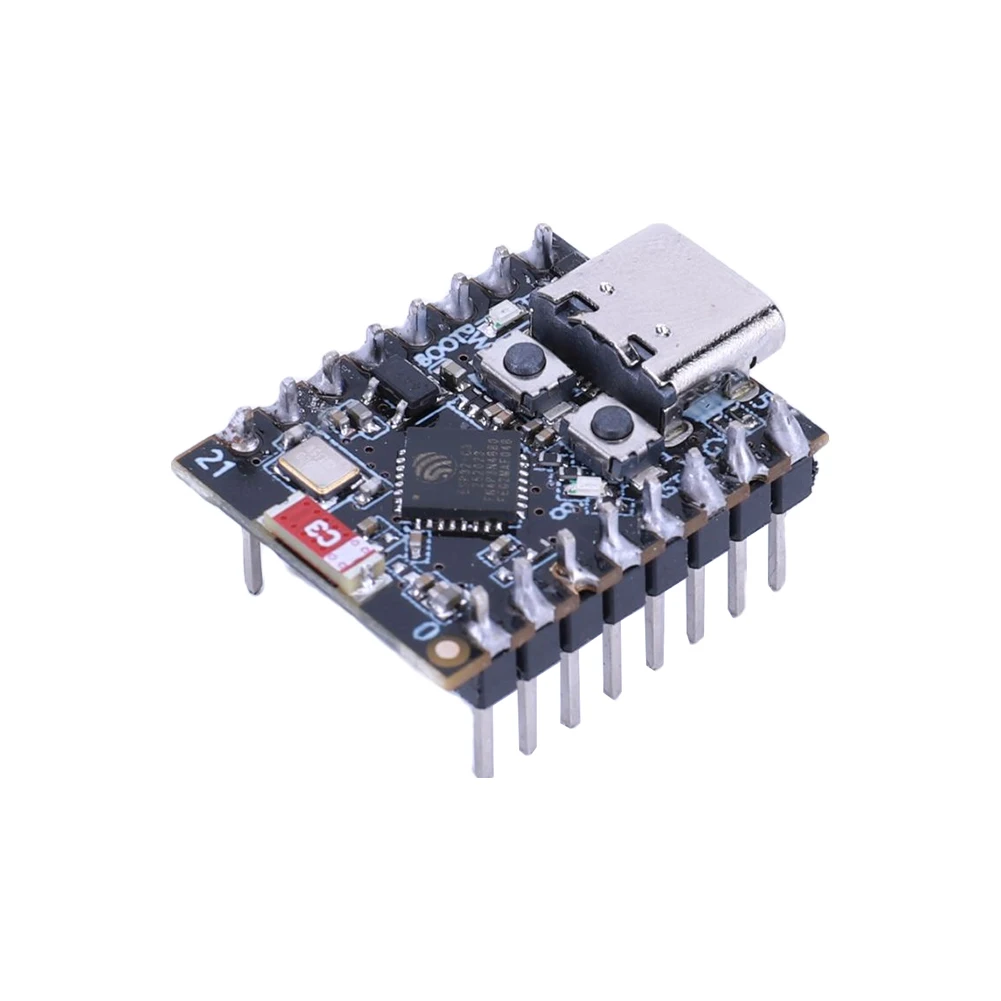
Tuya / Smart Life Wi-Fi devices can join Home Assistant through the official Tuya integration, which still uses the Tuya cloud. That is fine to start with. For devices you build yourself, an ESP32 board with the free ESPHome software becomes a fully local sensor, a Bluetooth proxy for BLE thermometers, or a controller for LED strips.
🛠️ A Home Assistant starter kit from AliExpress

1. Intel N100 mini PC to run Home Assistant OS (low power, silent)


3. USB 2.0 extension cable to move the dongle away from the PC

4. Zigbee smart plug, UK 3-pin (also strengthens the network)


🔍 Looking for a different mini PC, a dongle with an antenna or more sensors?
Search OneFindMe in plain words, for example “n100 mini pc” or “zigbee temperature sensor”, and see every current option with today's prices.
Search Home Assistant parts →Five steps from box to first automation
- Install Home Assistant OS — On a mini PC, write the Generic x86-64 image to its SSD from a USB stick, following the official installation guide; on a Raspberry Pi, use the Raspberry Pi Imager and a USB SSD. Plug the machine into your router with a network cable.
- Open it and create your account — From a phone or laptop on the same network, open homeassistant.local:8123, create the owner account and let it discover devices it can already see, such as your TV or printer.
- Add the Zigbee dongle — Plug the dongle in on the extension cable, then add the ZHA integration (or install the Zigbee2MQTT add-on). Pair the smart plugs first, then the sensors where they will live.
- Build one automation — Settings › Automations: “when the front door opens after sunset, turn on the hall light”. Test it, then add the next one. Start with automations that save you a real annoyance.
- Back up and update calmly — Turn on automatic backups and keep a copy off the machine. Read the release notes before a major update; most months it is one click.
❓ FAQ
What is the cheapest way to start Home Assistant?
Use a small computer you already have that can stay on, or a budget mini PC, plus a USB Zigbee dongle and a couple of sensors. The parts on this list cost between $1.90 and $168.28 each; the mini PC is the only expensive part.
Mini PC or Raspberry Pi for Home Assistant?
For most people an Intel N100 mini PC: it costs about the same as a Raspberry Pi 5 with case, power supply and SSD, it is faster, and it boots from an SSD out of the box. A Raspberry Pi is a good choice if you already own one; boot it from a USB SSD, not an SD card.
ZHA or Zigbee2MQTT?
ZHA is built into Home Assistant and set up in a few clicks, so it is the easy start. Zigbee2MQTT is an add-on that supports more Tuya devices and exposes more settings. Both work with the SONOFF ZBDongle; you can switch later, but devices must be paired again.
Do Tuya devices work with Home Assistant?
Tuya Zigbee devices pair directly with a Zigbee dongle and work without the cloud. Tuya Wi-Fi devices connect through the official Tuya integration, which uses the Tuya cloud. Check Zigbee2MQTT's supported-devices list for a model before you buy.
Does Home Assistant work without the internet?
Yes. Zigbee devices and local integrations keep working, and automations run on your own machine. Cloud-based integrations (some Wi-Fi devices, voice assistants) stop until the connection is back.
How much power does a Home Assistant mini PC use?
An N100 mini PC idles at roughly 6 to 10 watts, about the same as a small LED bulb left on. Over a year that is a modest cost, far lower than an old desktop PC.
How long does shipping to the UK take, and is there VAT?
Delivery time depends on the seller and is shown on the product page before you pay. On orders up to £135 the 20% VAT is added at checkout, so there is nothing more to pay on delivery. A mini PC above £135 is charged VAT on import instead.